


KPOP 舞台直拍 (FanCam) 縮圖是什麼?YouTube 高點擊率吸粉關鍵
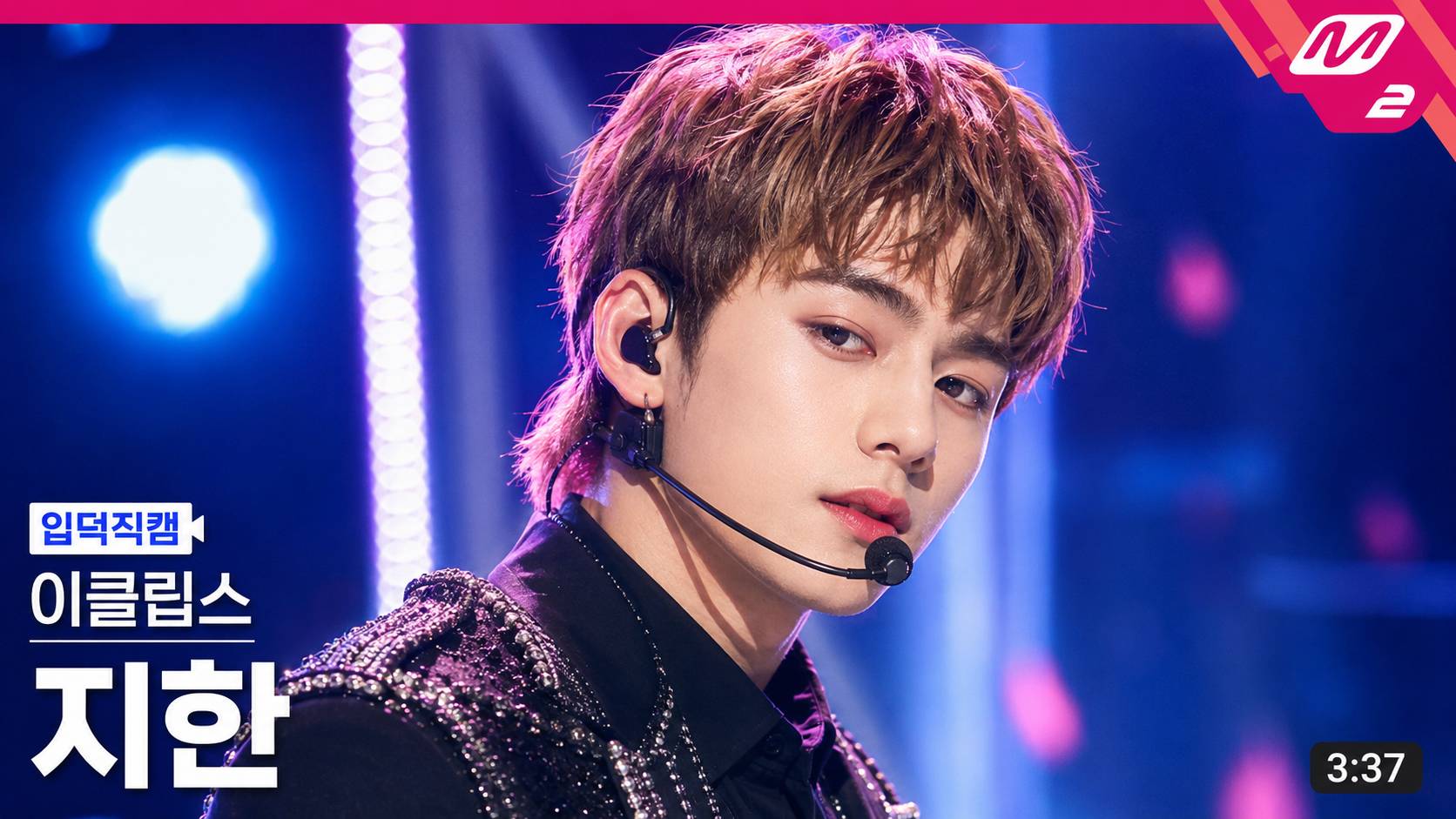
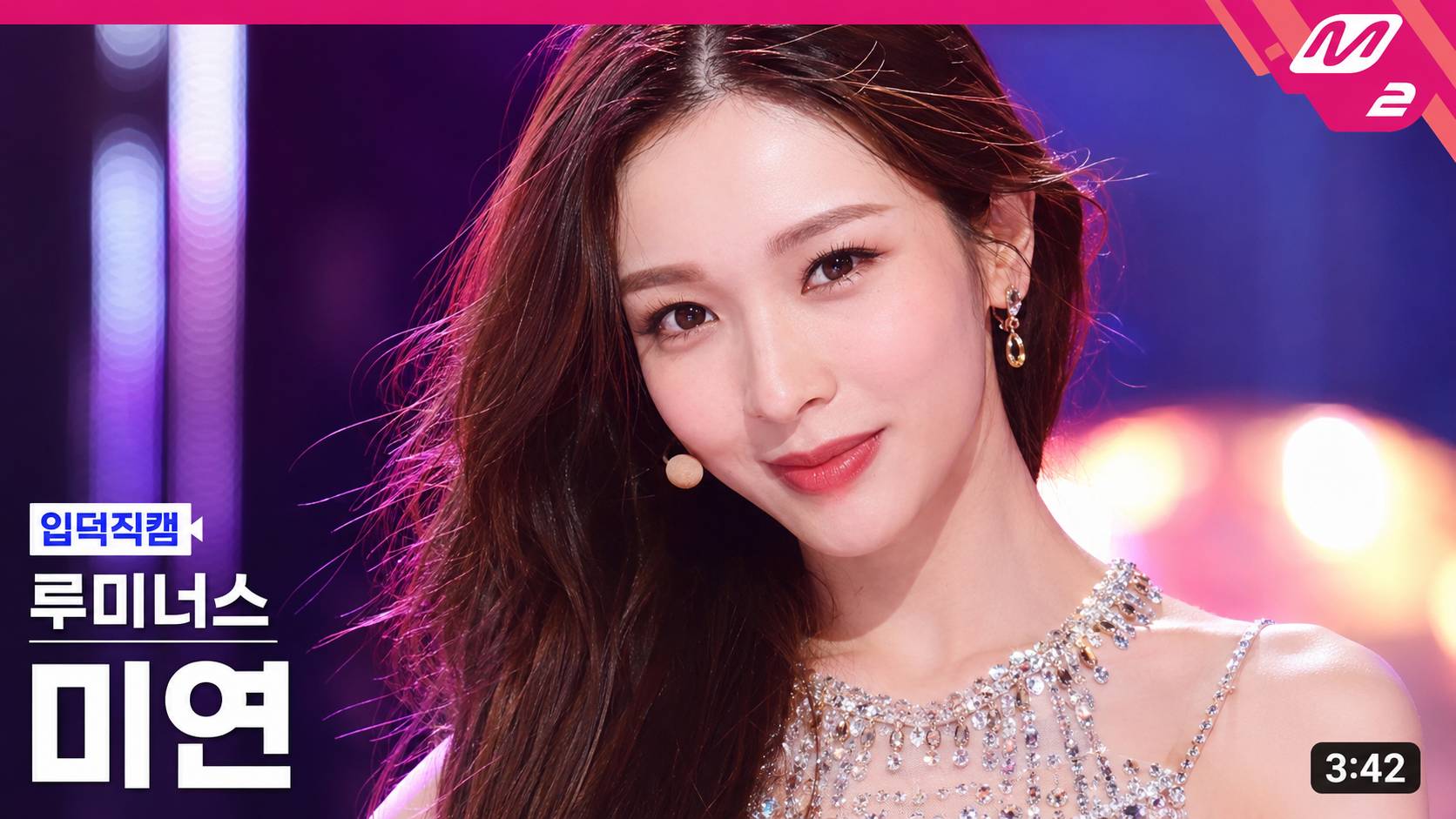
FanCam 縮圖是指在 YouTube 等平台上,韓國音樂節目表演單人直拍影片的封面圖。其設計結構嚴謹,旨在通過極具衝擊力的偶像大特寫或上半身特寫,加上專業的廣播級圖形元素(如節目標籤、成員名字、時間碼等),瞬間吸引觀眾目光,達成吸粉和高點擊率(CTR)的效果。一個成功的 K-pop 直拍縮圖的核心要素:
- 定義: 表演瞬間的「最吸睛畫面」,通常由偶像成員的大特寫為主,配上精確的節目 UI 設計。
- 結構: 嚴格遵守廣播級視圖結構,包括右上角的節目 Badge、左下角的單人直拍標籤「입덕직캠」、團體名、成員名(最大),以及右下角的影片時間碼。
- 目的: 透過極致的「顏值爆擊」與專業的 UI 設計,在 YouTube 的內容海中脫穎而出。
- 風格: 充滿舞台活力的真誠感、強烈的眼神互動,展現偶像魅力。
社交平台爆紅 AI 特效 一秒化身單人直拍封面主角
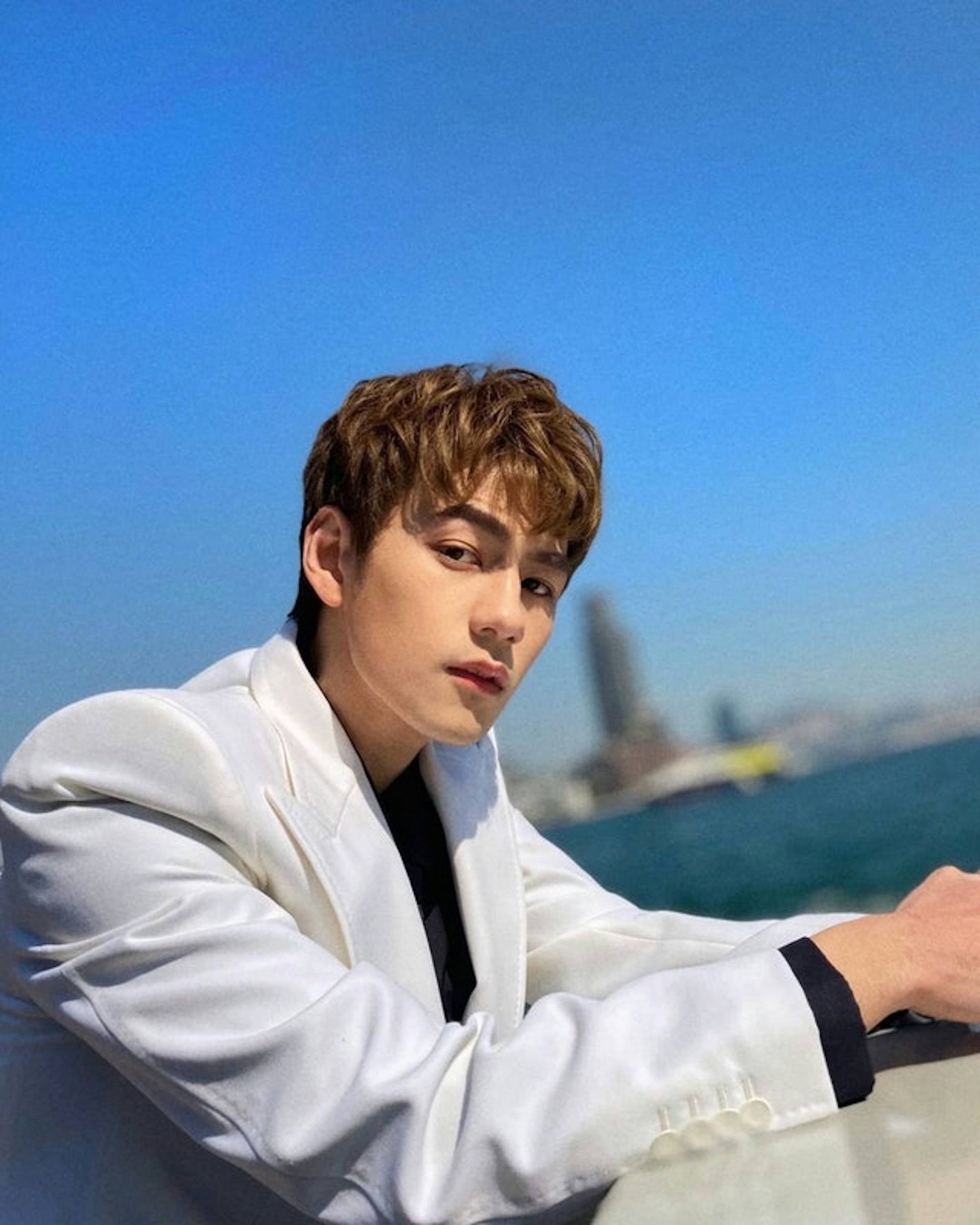
近日,有網民在社交平台 Threads 上分享了一組專門用於 AI 繪圖工具的「KPOP 舞台直拍縮圖」特效教學,號稱只要簡單兩個步驟:「選擇一張人物圖片」加上「複製貼上指令」,就能一秒將普通照片變成巨星級的單人直拍封面,並且連團體名、成員名和節目圖形都一併生成。這篇貼文迅速引發廣泛關注與轉發,吸引大量網民爭相試用,紛紛在網上曬出自己化身偶像的精緻封面照,掀起了一場全民變身熱潮。
專屬直拍 (FanCam) 縮圖生成指令大公開
你只需上傳一張清晰的人像照片,並輸入以下專屬指令(建議使用英文以獲得最佳的細節生成效果),AI 便會為你處理。請注意,此指令包含可供手動修改的「編輯欄位」 [GROUP_NAME]、[MEMBER_NAME] 和 [TOP_RIGHT_BADGE_TEXT](例如,可以將 [TOP_RIGHT_BADGE_TEXT: M2] 修改為 [TOP_RIGHT_BADGE_TEXT: S1])。指令中其餘部分已嚴格規定,必須與標準的 K-pop 直拍縮圖佈局一致。
[EDITABLE FIELDS — MODIFY HERE IF NEEDED] [GROUP_NAME: AUTO] [MEMBER_NAME: AUTO] [TOP_RIGHT_BADGE_TEXT: M2] Use the uploaded portrait as a reference for the subject’s overall vibe and impression. Create a high-quality K-pop music show fancam thumbnail in a horizontal 16:9 format. Main objective: – The final image must closely follow the visual layout structure of a typical K-pop fancam thumbnail. – The layout of the text and graphic elements should remain consistent and fixed. – The person should appear as the clear main subject in a large close-up composition. – The overall image should feel like a bright, polished, highly clickable YouTube music show thumbnail. Editable field rules: – If [GROUP_NAME] is filled, use it exactly. – If [GROUP_NAME] is blank or AUTO, automatically generate a natural and stylish K-pop group name. – If [MEMBER_NAME] is filled, use it exactly. – If [MEMBER_NAME] is blank or AUTO, automatically generate a natural and stylish member name. – If [TOP_RIGHT_BADGE_TEXT] is filled, use it exactly inside the top-right badge. – If [TOP_RIGHT_BADGE_TEXT] is blank or AUTO, use “M2”. Automatic rules: – The bottom-left label text must always be “입덕직캠”. – The video duration in the bottom-right corner should be automatically generated as a natural random time between 3:00 and 5:00. – The stage concept, lighting, and facial expression should be automatically chosen based on the subject’s vibe. Subject depiction: – Use the uploaded portrait as a vibe and appearance reference, not as a strict one-to-one copy target. – Preserve the overall impression, face shape, eyes, hairstyle, and soft identity cues. – Reinterpret the subject as a K-pop idol in a music show close-up thumbnail. – The face must be the strongest focal point in the frame. Composition: – Horizontal 16:9 thumbnail. – Tight close-up or upper-body close-up. – The subject should occupy most of the frame. – The face should be centered or slightly right-centered, leaving clean text space on the left side. – The subject’s expression should be vivid, attractive, and thumbnail-friendly. Stage mood: – Make it look like a real K-pop stage performance moment. – Use glamorous concert lighting, LED background glow, and vivid stage colors. – Preferred lighting colors may include pink, purple, blue, cyan, or neon tones. – Background should support the idol but not overpower the face. Styling: – K-pop stage outfit styling. – A headset microphone or in-ear monitor may be included naturally. – Hair, makeup, and styling should feel polished, modern, and performance-ready. STRICT GRAPHIC LAYOUT RULES: The thumbnail must use a fixed, repeatable broadcast-style layout. 1) Top-right badge: – Place a pink angular corner badge in the top-right corner. – The badge should sit tightly inside the upper-right corner with a small margin. – Put [TOP_RIGHT_BADGE_TEXT] inside the badge. – The text should be bold, white, clean, and clearly readable. – The badge should visually resemble a broadcast/music-show corner mark. – Keep this badge small to medium in size, not too dominant. 2) Bottom-left label: – Place a small “입덕직캠” label in the lower-left area. – It should appear above the group name and member name. – Use a compact rectangular or speech-bubble style box. – The box should be white and blue or similar high-contrast broadcast styling. – The label should be small but crisp and immediately readable. 3) Group name: – Place [GROUP_NAME] directly below the “입덕직캠” label. – Align it to the left edge of the label block. – The group name should be medium-sized, bold, and white. – It should be clearly readable but smaller than the member name. 4) Member name: – Place [MEMBER_NAME] directly below the group name. – Align it with the left-side text stack. – This must be the largest text element in the thumbnail. – Use bold white Korean typography with strong readability. – The member name should dominate the lower-left text hierarchy. 5) Bottom-right duration: – Place the time-duration box in the bottom-right corner. – Use a small rounded black rectangle with white time text. – The time should look like a typical YouTube duration marker. – Keep it compact and neatly aligned to the lower-right edge. Text hierarchy: – Largest text: [MEMBER_NAME] – Medium text: [GROUP_NAME] – Small label text: “입덕직캠” – Small badge text: [TOP_RIGHT_BADGE_TEXT] – Small duration text: random time between 3:00 and 5:00 Typography style: – All Korean text must be accurate, natural, and highly readable. – Use bold, clean, broadcast-style typography. – The member name should be especially thick and visually powerful. – The layout should feel polished and consistent, as if taken from a real music-show thumbnail template. Visual direction: – Bright, sharp, saturated, broadcast-style image – Highly clickable K-pop thumbnail energy – Strong face focus – Clean and consistent placement of graphic elements – Realistic but polished idol-performance mood
進階玩法:輕鬆打造極致可點擊的專屬直拍縮圖
此指令已將所有關鍵要素整合為一個結構嚴謹的佈局模板,AI 會根據照片自動選擇最合適的舞台概念與燈光風格。指令的核心優勢在於,它已經設置了嚴格的自動化與手動編輯規則,你只需要上傳清晰的人像照片,AI 就會自動判斷並應用最完美的偶像化身特效,並且確保左下角的專屬單人直拍標籤「입덕직캠」、團體名、成員名和右下角的影片時間碼始終準確呈現,打造出一個「亮麗、精緻、極具可點擊性」的 YouTube 級 K-pop 直拍封面圖。